
AT A GLANCE
Learning how to set up a simple document filing system does not require complex software or expensive filing cabinets; a streamlined system of five core categories will save you hours of searching and protect you from costly financial or legal mistakes.
- Under five folder levels are recommended to keep digital systems searchable and simple, as pioneered by productivity experts.
- Up to 99 files per folder keeps your directories readable without overwhelming your computer screen.
- Two distinct formats (physical and digital) should be coordinated using identical category names for effortless switching.
- One safe deposit box or fireproof home safe is required for irreplaceable physical originals like deeds, wills, and titles.
The best setup is the one you actually maintain, so choose the method that fits your daily habits rather than aiming for perfection.
How Do You Choose Between a Physical and Digital Filing System?
Choosing between a physical and a digital filing system depends on how you prefer to access your information and your comfort with technology. While a paper-based system is tactile and highly secure from cyber threats, a digital archive offers unmatched searchability and remote access. Many households find that a hybrid approach works best, combining a small physical box for critical paper originals with a robust digital backup.
| System Type | Ideal For | Main Advantage | Main Weakness |
|---|---|---|---|
| Physical Only | Tactile organizers, tax originals, legal deeds | Immune to cyber hacking | Takes physical space |
| Digital Only | Minimalists, frequent travelers, search-first users | Instant keyword search | Requires active backup security |
| Hybrid System | The majority of busy modern households | Best of safety and convenience | Requires managing two systems |
How Do You Gather and Purge Your Existing Documents?
To begin, you must gather every document from around your home and systematically purge items you no longer need. This initial clearing reduces bulk and ensures you only spend time organizing relevant paperwork. According to the Consumer Financial Protection Bureau (CFPB), you should keep tax-related documents, such as W-2 forms and receipts for deductions, for at least three years from the date you filed your return.
- Collect all papers in one central workspace, searching every cabinet, kitchen drawer, and random storage box.
- Create three distinct piles labeled Keep, Shred, and Recycle to quickly process the mountain of paper.
- Verify retention guidelines before tossing financial papers, as discarding important documents can cause massive tax or legal headaches.
- Shred sensitive files containing social security numbers, bank account details, or medical information immediately to protect your identity.
How Can You Establish Broad Filing Categories?
Creating a simple document filing system relies on setting up five to seven broad, intuitive categories that cover your entire life. Keeping these categories high-level prevents you from overcomplicating the system with too many specific folders. When you establish these divisions, the ultimate goal is to make retrieval so natural that a family member or trusted friend could locate a document in an emergency. You will discover that organizing your files makes other daily responsibilities much easier, especially when deciding if is everyday know-how for home, food, money and life simple to implement in your routine.
- Financial records including bank statements, credit card terms, tax returns, and active investment paperwork.
- Home and vehicle documents, which cover home improvement receipts, lease agreements, auto maintenance records, and utility statements.
- Health and medical information, containing insurance policies, medical histories, vaccination records, and active prescriptions.
- Personal and legal papers, including birth certificates, passports, marriage licenses, and wills.
- Temporary or active projects, which house current coupons, manuals for newly purchased appliances, or active home renovation bids.
How Do You Set Up Your Physical Filing System?
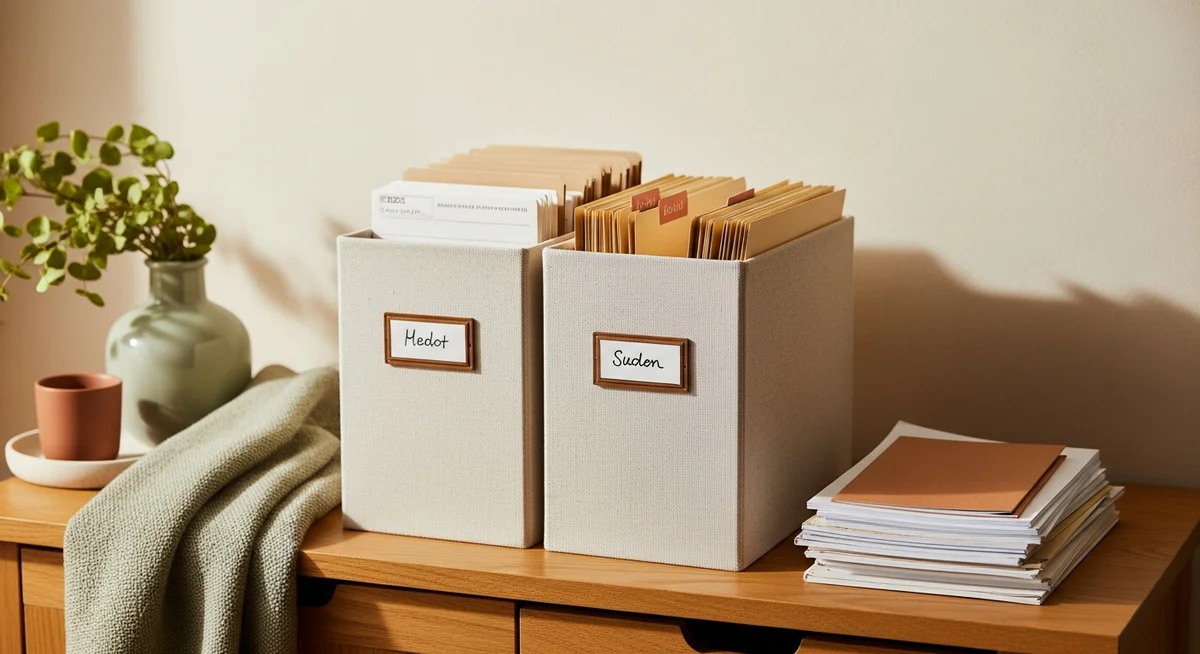
Setting up a physical filing system requires a dedicated space, sturdy containers, and high-quality folders to protect your paper records. This tangible setup keeps your most critical hard copies organized and easily accessible in your home. Even in a highly digital world, physical filing remains essential for managing documents that require original signatures or physical stamps.
What Are the Essential Supplies for Paper Files?
You do not need an elaborate office setup, but a few basic physical tools are necessary to keep your paper organized. Investing in durable containers ensures your documents remain safe from physical damage, moisture, and pests. The New Mexico State University Cooperative Extension Service notes that keeping physical copies of signed contracts is vital to prove compliance and protect your household in potential legal disputes.
- A sturdy filing cabinet or portable plastic file box with a lid to keep files safe from dust and spills.
- Hanging folders with plastic tabs, which act as the main dividers for your broad categories.
- Manila interior folders to sub-categorize files within each main hanging folder.
- A basic label maker or a dark permanent marker to keep your folder names clean and readable.
- A fireproof safe or a safe deposit box at your bank for irreplaceable items like property deeds and birth certificates.
How Do You Organize and Label Hanging Folders?
Organizing your hanging folders involves using clear category names and a consistent labeling style to make scanning easy. Grouping related items together inside a single hanging folder keeps the system clean and prevents clutter. When you label, position your tabs in a neat, straight line across the cabinet so your eyes can scan the terms from left to right without jumping around.
- Use clear bold lettering on your labels, avoiding complex abbreviations that you might forget later.
- Color-code your categories by using different colored hanging folders for each of your primary divisions.
- Limit the contents of each folder to a maximum of 100 sheets of paper to prevent folders from sagging or tearing.
- File chronologically with the most recent documents placed at the front of the folder so they are the first things you see.
How Do You Set Up a Simple Document Filing System Digitally?
Setting up a digital filing system involves creating a logical directory path and using consistent naming patterns so you can find files in seconds. Moving your records online or to a local hard drive reduces physical clutter and allows you to access your files from anywhere. However, managing digital files requires discipline to ensure that your records remain secure and do not become an unsearchable digital mess.
How Do You Create a Simple Digital Folder Hierarchy?
To create a functional digital hierarchy, you must limit your folder depth to a maximum of five levels. Keeping your folders shallow ensures that you do not waste time clicking through endless subfolders to find one receipt. It is also wise to understand how to protect your digital records by reviewing a comprehensive privacy policy on the cloud storage platform you choose to use.
- Level One: Main Archive, which serves as the root folder for all your personal documentation.
- Level Two: Broad Categories, matching your physical categories like Financial, Home, and Medical.
- Level Three: Specific Subcategories, such as separating your financial folder into Taxes and Bank Statements.
- Level Four: Year Folders, grouping files by the calendar year they were created to make archiving simple.
- Level Five: Individual Files, which are the final documents resting inside their respective folders.
What Are Standardized File Naming Conventions?
Standardized naming conventions use date-based or alphabetical prefixes so your operating system sorts files automatically. Applying a uniform structure to every file name eliminates confusion and makes searching instant. If you do not name files consistently, your computer search tool will struggle to find specific documents when you need them most.
- Start with the date in the YYYY-MM-DD format to ensure files sort chronologically by default.
- Include a descriptive keyword that clearly explains what the document is, such as WaterBill or TaxReturn.
- Avoid using spaces in file names, using hyphens or underscores instead to prevent file path errors on older systems.
- Keep file names short, aiming for under 30 characters to ensure they are fully readable on mobile screens and tablets.
How Can You Leverage Search, Tags, and Shortcuts?
You can find files instantly by utilizing the native search bar, adding descriptive tags, and creating shortcuts for frequently used documents. Modern computer search functions are incredibly powerful when you feed them the right metadata during the naming process. For files you access weekly, creating a desktop shortcut or pinning the folder to your sidebar prevents you from navigating the hierarchy every single time. Additionally, tagging folders with specific colors can help you instantly distinguish between urgent personal tasks and long-term archives.
What Are the Golden Rules for Maintaining Your Filing System?
Maintaining your filing system requires routine cleanouts and consistent habits so that papers do not pile up again. A system only works if you commit to keeping it updated as new documents arrive in your mailbox or digital inbox. Setting aside just a few minutes each month will keep your system running smoothly without ever requiring a massive weekend-long reorganizing project.
- Implement the one-in, one-out rule, discarding the previous year’s policy statement as soon as the new one arrives.
- Establish a central physical landing pad for incoming mail, processing this tray once a week instead of scattering papers on the counter.
- Schedule an annual purge date, preferably during tax season in April, to shred outdated documents and archive older files.
- Create a digital inbox folder where all newly scanned documents go before you rename and file them on your weekend sweep.